Service Dashboard
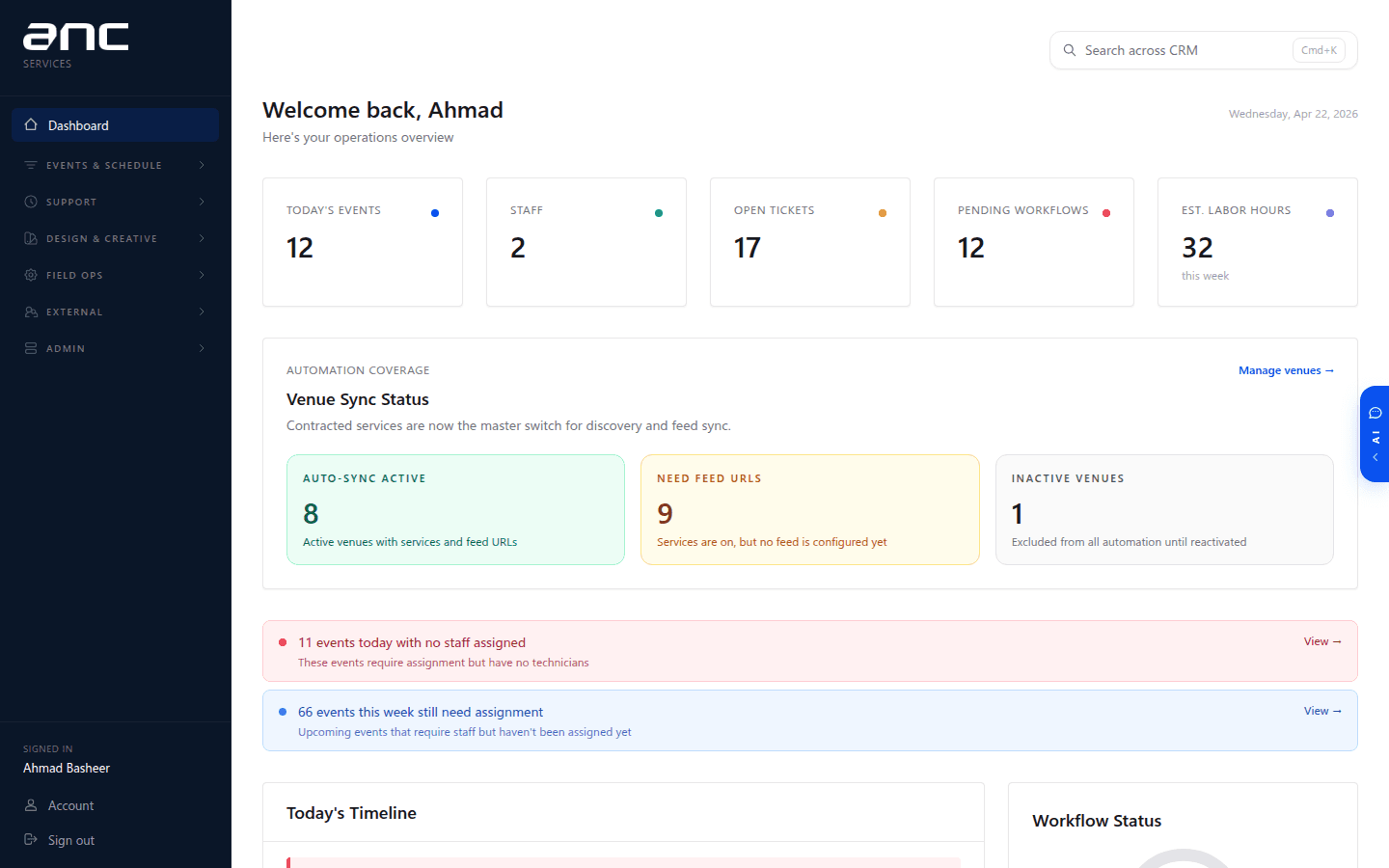
ANC Service Dashboard
The operational command center for every venue, event, and ticket ANC services.
ANC Service Dashboard
Live at services.ancsports.net.
The Service Dashboard is where the service side of ANC lives. Everything after a deal is won and installed — keeping the venue running, staffing events, handling tickets, tracking workflow — lives here.
Who uses it
| Role | What they do here |
|---|---|
| Admins (leadership) | Configure roles, venues, services, assignment rules |
| Tech Support leads (Chris and team) | Triage tickets, assign technicians, merge duplicates, run reports |
| Operations managers (Joe and team) | Staff events, monitor workflows, track labor budgets |
| Technicians | See assigned events, check in on site, submit game-ready + post-game reports |
| Clients (venue-side) | Report issues via the portal, view live workflow status |
What it does, at a high level
- Event management — every game, concert, or service event at every venue
- Staff assignments — who works what event, workload visibility, labor budget tracking
- Venue management — 200+ venues, their Slack channels, contracted services, installed screens
- Ticket system — issue tracking with SLA, auto-assignment, merge for duplicates, bulk close
- Voicemail → ticket — the Zoom support phone line automatically opens tickets with the recording, transcript, and caller number attached
- Workflow tracking — check-in → game ready → post-game report, with reminders at each stage
- IoT Operations Workspace — spreadsheet-style workspace for displays, rack/device notes, walkthrough logs, maintenance rows, forms, and operational documents
- Client portal — per-venue page where clients can see status and open tickets
- Reports — SLA compliance, coverage rate, labor hours, workflow completion
- AI diagnostic — paste a symptom, get a knowledge-base-backed troubleshooting plan
Relationship to the rest of ANC
- Proposal Engine (proposals.anc.com) is where the venue was sold. When a project goes live, the venue, screens, and client record flow in here automatically.
- CRM (crm.ancsports.net) is the system of record. Every ticket, event status change, and workflow step pushes into the CRM in real time — so account records always reflect the operational state.
Together: proposals start in the Proposal Engine, customer and account context lives in the CRM, and daily venue operations run through the Service Dashboard.
Next steps
- Events — calendar, discovery, assignment
- Tickets — issue tracking, merge, bulk actions
- Voicemail → Ticket — the Zoom phone integration
- Workflows — check-in → game-ready → post-game state machine
- IoT Operations Workspace — displays, walkthroughs, maintenance, forms, and ops documents
- Real-time CRM Sync — every operational event into the CRM in ~1 s
- Roles and Access — admin, tech support, manager, technician