Tickets
Issue tracking with deadlines, auto-assignment, merge, voicemail intake, and bulk actions.
Tickets
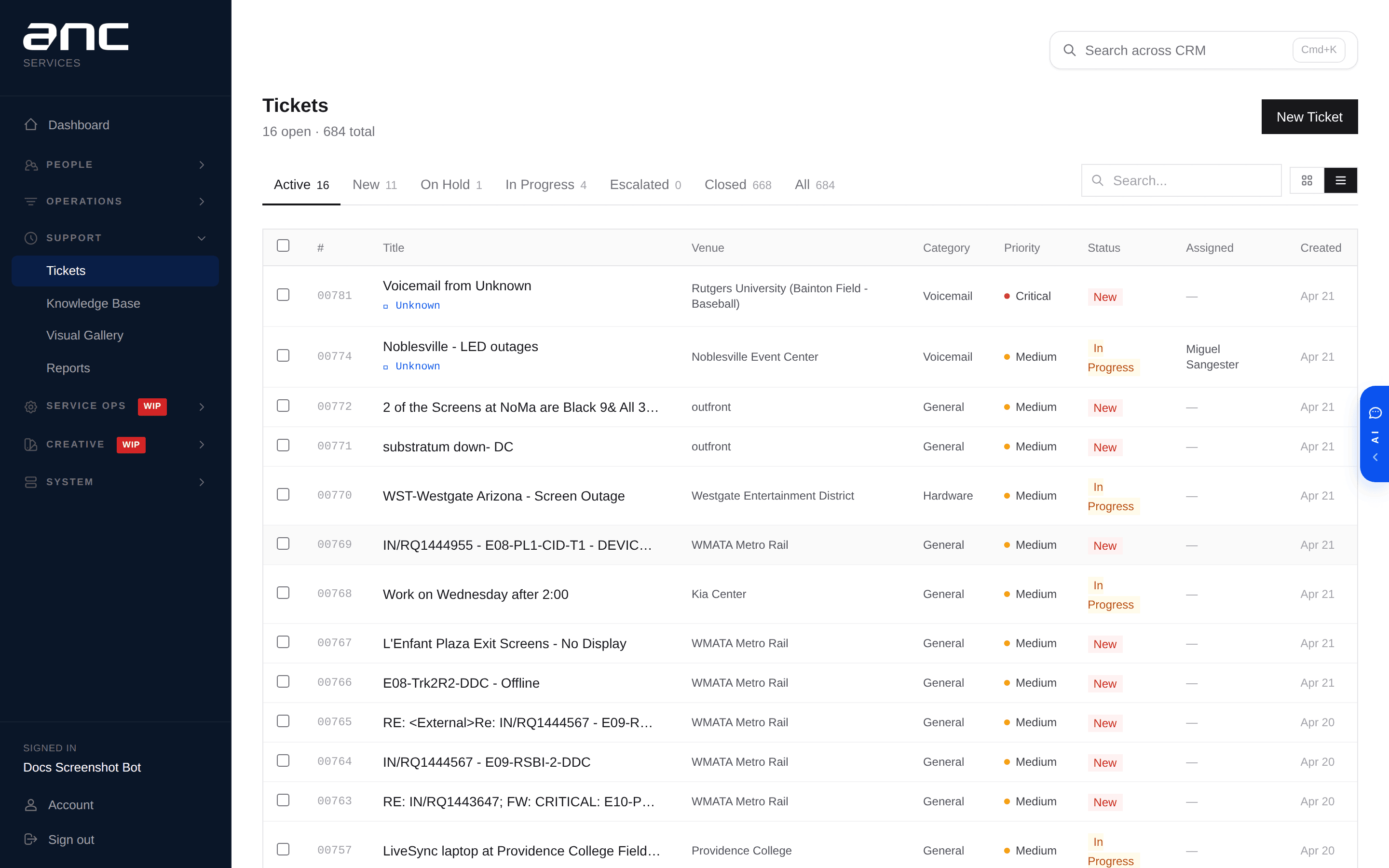
The ticket system is where tech support triages everything. Lives at /tickets with a list view by default.
Ticket basics
Every ticket has:
- Number — T-00001 onwards, auto-assigned
- Title and description — what the issue is
- Priority — low / medium / high / critical
- Status — new → on hold → in progress → escalated → closed
- Category — hardware, software, content, operational, general, voicemail
- Source — how the ticket arrived (more on this below)
- Venue — editable on any ticket; useful when voicemails arrive without a venue
- Assigned tech — who owns it
- Deadlines — first-response and resolution times based on priority
Every ticket also appears in the CRM under the venue's Company in about a second.
How tickets get created
Tickets can come in through multiple paths:
| Source | What it means |
|---|---|
| Web | A manager opens the dashboard and creates a ticket directly |
| A client emails the support address — automatically becomes a ticket | |
| Slack | A team member pings the bot in a channel |
| Voicemail | A client calls the support line and leaves a message — becomes a ticket within 30 seconds |
| Client portal | A venue submits an issue from their own portal page |
| Salesforce mirror | One-shot historical import |
You don't manage these differently — they all show up in the same list and behave the same way.
Auto-assignment
When a ticket is created, the system can auto-assign it based on rules. Each rule says "if the category is X and the venue is Y, assign to Z." The first matching rule wins.
If no rule matches, the ticket lands in Unassigned and shows up in the tech-support triage queue.
Rules live in Settings → Assignment Rules (admin only).
Merging duplicate tickets
When the same issue gets reported twice (e.g., the client calls back five minutes later):
- Open one ticket
- Click the dropdown next to "Send to Slack"
- Pick Merge into another ticket…
- In the modal, search and pick the primary ticket, confirm
The duplicate closes automatically with a banner linking back to the primary. Comments move to the primary. The primary shows a banner listing every ticket merged into it.
Bulk actions
Check the boxes next to any tickets in list view. A floating action bar appears:
- Close all — bulk-close every selected ticket
- Merge N — pick which selected ticket becomes the primary; all others merge into it
Fast way to clear stale tickets or bundle duplicates after a venue-wide outage.
Email replies
Every ticket can be replied to over email without leaving the dashboard. Type the reply, hit send. The client's response lands back as a comment on the same ticket — threading is preserved, so it stays one conversation.
Comments and attachments
- Add comments to keep the conversation in one place
- Upload photos and files — useful for hardware issues
Slack notifications
When a ticket is created:
- Voicemail tickets → tech support Slack channel
- Regular tickets → the venue's own Slack channel (or default if none)
Status changes also ping Slack so the team sees updates without opening the dashboard.
Deadlines (SLA)
Every ticket has a first-response and resolution deadline based on priority:
| Priority | First response | Resolution |
|---|---|---|
| Critical | 1 hour | 4 hours |
| High | 2 hours | 8 hours |
| Medium | 4 hours | 24 hours |
| Low | 8 hours | 72 hours |
The dashboard tracks whether each deadline was met or breached. Reports roll this up by venue, technician, or week.
Finding closed tickets
Closed tickets fall out of the default list. To find one, use the search at the top — it searches title, description, and resolution notes across closed tickets too.
Canned responses
Common replies live in a canned-response library. Useful for "we received your request" / "issue resolved, please confirm" type loops. Manageable by tech-support and admin roles.
See also
- Voicemail → Ticket — phone calls become tickets automatically
- Everything shows up in the CRM live — every ticket change syncs to the CRM in about a second
- Roles and Access — who can close, merge, and assign